
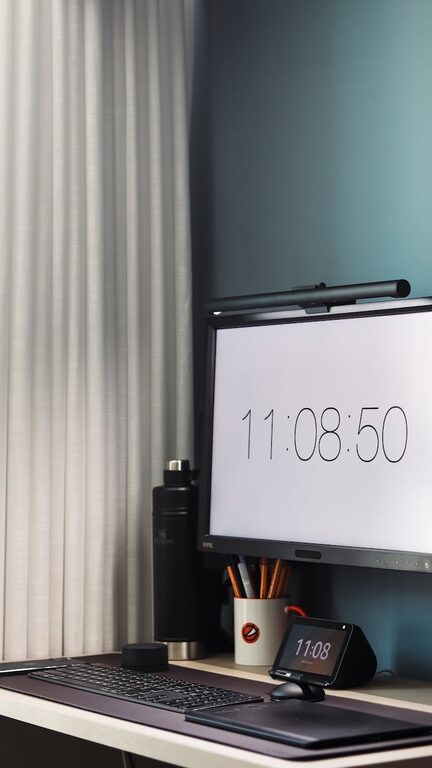
Creating an effective home workspace is essential for anyone working remotely or seeking to accomplish tasks efficiently outside a traditional office. A well-organized space can help boost focus, reduce distractions, and increase overall productivity. Whether you have a dedicated room or a corner in your living area, optimizing your work environment is within reach. Here are some practical tips to help you design a productive home workspace.
Choose the Right Location
Your workspace location plays a significant role in how well you can concentrate.
– Find a Quiet Spot: Ideally, select an area away from noise and high traffic in your home.
– Consider Natural Light: Place your desk near a window if possible. Natural light improves mood and reduces eye strain.
– Minimize Distractions: Keep your workspace separate from areas associated with leisure or interruptions.
Invest in Ergonomic Furniture
Comfort matters when you spend long hours working.
– Ergonomic Chair: Choose a chair with adjustable height and back support to maintain good posture.
– Sturdy Desk: A spacious desk allows you to keep necessary items within reach without clutter.
– Monitor Position: Keep your computer screen at eye level to avoid neck strain.
Keep Your Workspace Clutter-Free
A tidy space helps clear your mind.
– Use Storage Solutions: Employ drawers, shelves, or storage bins to organize supplies and documents.
– Daily Clean-Up: Take a few minutes at the end of each day to tidy your desk.
– Limit Items: Only keep essential tools and supplies on your desk to maintain focus.
Organize Your Supplies and Equipment
Efficient access to tools saves time and keeps interruptions at bay.
– Label Storage: Clearly label boxes or file folders to find items quickly.
– Use Desk Organizers: Trays, pen holders, and cable organizers can manage small items and cords.
– Manage Cables: Use clips or ties to reduce tangled wires and keep your desk neat.
Optimize Lighting
Proper lighting reduces eye fatigue and supports concentration.
– Task Lighting: Use adjustable desk lamps to focus light where you need it.
– Avoid Glare: Position screens and lights to prevent reflections that can cause discomfort.
– Adjust Light Warmth: Some people prefer warmer or cooler light; find what works best for you.
Incorporate Personal Touches Mindfully
Personal elements can make your workspace inviting without causing distractions.
– Add Greenery: Small plants can boost mood and purify the air.
– Inspirational Items: Consider adding a few decor pieces that motivate you, like artwork or quotes.
– Keep It Minimal: Avoid overcrowding your space with decorations.
Establish a System for Managing Tasks
Organizing your work plan goes hand in hand with your physical space.
– Use Planners or Digital Tools: Keep track of your daily tasks and deadlines.
– Create Zones: If space allows, have separate areas for computer work, reading, or meetings.
– Set Time Blocks: Designate periods for focused work and breaks to maintain productivity.
Minimize Digital Distractions
A clean physical space also means managing your digital environment.
– Organize Files: Keep your desktop and folders tidy for easy access.
– Manage Notifications: Turn off non-essential alerts during work time.
– Use Focus Apps: Consider apps that block distracting websites or limit social media use.
Maintain Consistent Habits
A productive workspace is supported by good habits.
– Regular Breaks: Take short breaks to stretch and rest your eyes.
– Daily Routine: Try to start and end work at consistent times.
– Review and Adjust: Periodically assess your setup and make improvements as needed.
Final Thoughts
Organizing a home workspace takes some initial effort but pays off with increased focus and efficiency. By considering your environment, comfort, and organizational methods, you can create a space that supports your work goals perfectly. Remember, the best workspace is one that suits your personal preferences while minimizing distractions. Start small, make gradual changes, and enjoy a more productive day at home!