
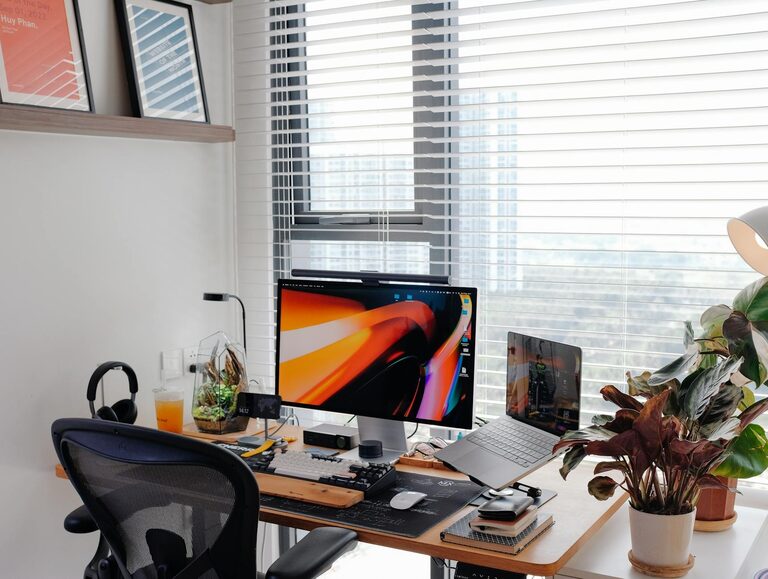
Creating a cozy and productive home workspace is essential for anyone working remotely or managing tasks from home. A well-designed area can improve focus, reduce stress, and make your workday more enjoyable. Whether you have a dedicated room or just a small corner, these tips will help you build a space that supports both comfort and productivity.
Choose the Right Location
Selecting the right spot in your home for your workspace is the first step. Consider these factors:
– Natural Light: Position your desk near a window to take advantage of daylight. Natural light helps improve mood and energy levels.
– Quiet Environment: Choose a place with minimal noise distractions. If silence isn’t possible, consider noise-canceling headphones or background music.
– Away from High-Traffic Areas: Avoid busy spots like the kitchen or main hallway to maintain focus.
Invest in Comfortable and Ergonomic Furniture
Comfort is crucial when you spend long hours working. Ergonomic furniture supports good posture and prevents discomfort.
– Chair: Invest in an adjustable chair with good lumbar support.
– Desk: Choose a desk at the right height to avoid strain on your wrists and shoulders.
– Accessories: Consider a footrest, wrist pads, or an adjustable monitor stand to enhance comfort.
Organize Your Workspace Efficiently
A clutter-free space helps keep your mind clear and focused.
– Declutter Regularly: Keep only essential items on your desk.
– Use Storage Solutions: Shelves, drawers, or bins can keep supplies and paperwork organized.
– Cable Management: Use clips or ties to keep cables tidy and prevent tangling.
Add Personal and Cozy Touches
Making your workspace inviting encourages you to spend time there.
– Plants: Adding greenery can improve air quality and provide a calming effect.
– Artwork: Hanging pictures or posters that inspire you can boost creativity.
– Soft Textiles: A cozy blanket or a comfortable cushion adds warmth.
Optimize Lighting
Proper lighting reduces eye strain and enhances productivity.
– Layered Lighting: Combine natural light with overhead and task lighting.
– Desk Lamp: Use an adjustable desk lamp with warm light to reduce glare on screens.
– Avoid Harsh Fluorescent Lights: They can cause headaches and fatigue.
Minimize Distractions
Distractions can decrease your efficiency. Try the following:
– Set Boundaries: Let household members know your work hours.
– Use Do Not Disturb Signs: A simple sign can help maintain your focus.
– Limit Digital Interruptions: Turn off non-essential notifications during work periods.
Incorporate Technology Wisely
Technology is a tool to enhance productivity if used well.
– Reliable Internet: Ensure your connection is strong and stable.
– Ergonomic Accessories: Wireless keyboards, mice, and headphones can increase comfort.
– Use Productivity Tools: Apps for task management, time tracking, and note-taking help organize your day.
Create a Routine and Maintain the Space
A routine signals your brain it’s time to work, and a tidy workspace keeps motivation high.
– Start and End Work at Consistent Times: This helps separate work life from personal life.
– Clean Up at Day’s End: Spending a few minutes tidying prepares you for the next day.
– Take Breaks: Step away regularly to stretch and rest your eyes.
Final Thoughts
Designing a cozy and productive home workspace is about balancing comfort with functionality. By making thoughtful choices about location, furniture, organization, and personal touches, you can create an environment where you feel motivated and focused. Remember, the best workspace reflects your needs and encourages your best work every day.